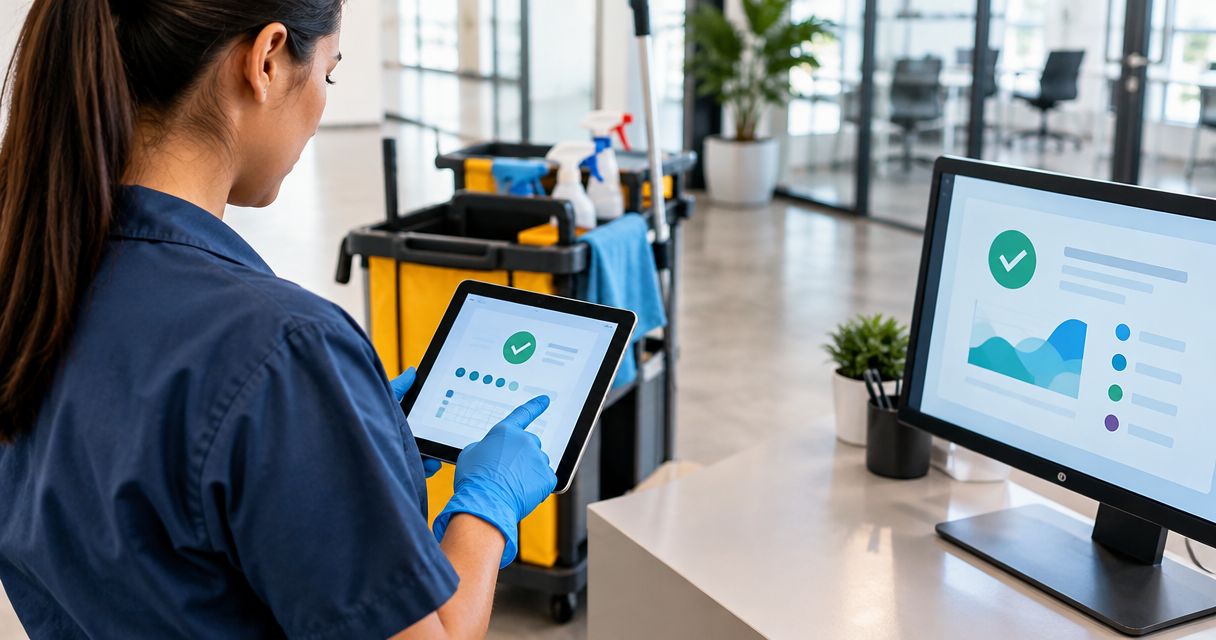
Instead of manually copying cleaning reports into maintenance records, set up a cleaning CMMS work order integration that matches each completion event to an existing work order, records the evidence, and routes exceptions for review. Keep cleaning completion separate from work-order closure so a submitted checklist cannot silently become an approved result.
Key takeaways
- A cleaning cmms work order integration needs stable work-order identifiers, mapped completion fields, and explicit approval rules.
- Hi Shine commercial cleaning serves Greater Philadelphia facility managers who need dedicated teams and accountable service.
- Keep checklist submission, supervisor acceptance, and CMMS closure separate unless your approved process explicitly combines them.
- Test duplicate submissions, blocked rooms, and corrected records before enabling unattended updates.
Why this matters
A cleaning checklist answers what the crew reported. A computerized maintenance management system, or CMMS, tracks the facility's work record. Connecting them without defining acceptance rules turns an administrative shortcut into an accountability gap.
A successful transfer proves that data arrived, not that cleaning passed inspection. Your integration must preserve that distinction. Define the evidence requirement in your cleaning service-level agreement before configuring the handoff.
For your 2026 setup, use the workflow below as a platform-neutral configuration specification. Field names shown in code formatting are proposed mapping keys, not claimed interface labels. Select the equivalent controls documented in your own systems; the actual menus, permissions, and supported actions depend on your applications.
Hi Shine commercial cleaning serves Greater Philadelphia facility managers who need dedicated teams and accountable service. This guide defines the handoff to request, not a claim that Hi Shine supplies a particular software connector.
Before you start
- Confirm system access. Obtain permission to read the cleaning completion source and update the relevant CMMS work orders. Ask your administrator which supported import, connector, or API method is permitted; do not assume an integration is included.
- Collect the mapping materials. Have a sample completed checklist, a corresponding CMMS work order, location identifiers, approved status definitions, and a named facility-side acceptance owner. Review your 2026 access rules before sharing credentials or records.
- Resolve the matching gotcha first. A recurring cleaning task is not a unique work-order occurrence. Carry the identifier for the specific visit or work order through the completion record, or the integration can update the wrong occurrence.
Do not begin with live closure permissions. Start with test records and an account limited to the actions your administrator approves. Use the system's supported credential storage rather than embedding passwords or tokens in completion notes.
Completion trigger and record contract
Establish the completion event
- Choose the triggering event. Use the source system's documented completion or submission event. If it cannot distinguish drafts from submitted records, add a validation gate before any CMMS update.
- Require a matching identifier. Include
work_order_idor an approved cross-reference that resolves to one specific work order. Keep the source's submission identifier ascompletion_event_id. - Define completion evidence. Map the task results, performer reference, completion timestamp, and exception notes. Include attachment references only when your systems and facility rules support them.
- Separate reporting from acceptance. Record the crew's reported outcome without treating it as the facility manager's approval. Define who accepts the work and which unresolved conditions prevent closure.
Expected result: A submitted cleaning record contains enough information to identify the correct work order and explain what was completed, blocked, or left unresolved.
Use a simple mapping contract before building the connection:
| Proposed field | Meaning | Validation rule |
|---|---|---|
completion_event_id | Identifier for the submitted event | Required; retain for duplicate detection |
work_order_id | Target CMMS work order | Must resolve to the intended occurrence |
location_id | Facility, floor, room, or zone reference | Must match the approved location mapping |
completed_at | Time the work was reported complete | Preserve the timestamp and time-zone information |
task_results | Reported checklist outcomes | Preserve incomplete and blocked tasks |
exception_notes | Explanation of unresolved conditions | Require an explanation when an exception exists |
evidence_reference | Approved supporting record | Verify that the intended reviewer can access it |
These are mapping specifications, not a universal CMMS schema. Document any required destination fields that your application adds.
Work-order matching and status mapping
Configure the destination record
- Resolve the work order before writing. Look up the supplied identifier and confirm that the destination record exists. Stop the update when no record matches or the reference is ambiguous.
- Verify the location. Compare the source location against the destination work order's approved mapping. Do not use free-text room names as the sole identifier where names repeat across buildings.
- Map reported outcomes. Assign each source outcome to a documented destination action: record completion evidence, flag an exception, or request review. Use your CMMS's actual supported status values.
- Protect closure authority. Leave closure with the designated approver unless your approved operating process explicitly permits automatic closure. A task marked complete must not override an unresolved access or scope issue.
Expected result: Each accepted event updates its intended work order without creating an unrelated record or closing work that still requires review.
The status decision belongs to the facility's operating process, not the connector's default setting. A crew can report a finished task while a manager still needs to inspect the result. Conversely, a blocked room needs an exception record, not a false completion.
For your 2026 mapping review, have the facility manager and system administrator approve the same status definitions. Record which role can change each status and where acceptance evidence belongs. This prevents a later permissions change from quietly changing the meaning of completion.
Delivery controls and acceptance testing
Validate the transfer
- Record the transfer outcome. Retain the source event identifier, target work-order identifier, delivery result, and error detail. Keep the log accessible to the person responsible for resolving failed transfers.
- Prevent duplicate application. Check whether the completion event has already been applied before appending notes or changing status. Use a destination-supported unique reference or an approved integration log.
- Distinguish retryable failures. Follow the destination's documented retry behavior for temporary failures. Send invalid identifiers, rejected fields, and permission failures to review rather than repeating the same rejected request indefinitely.
- Test the acceptance boundary. Submit a clean completion, a blocked-area report, a duplicate event, and a corrected submission. Confirm the resulting work-order history and approval state for each case.
Expected result: The integration either applies an identifiable update or produces an actionable failure record. No event disappears without a recorded outcome.
Use this acceptance sequence for your 2026 pilot:
- Source record: Confirm the submitted checklist contains the intended occurrence and location.
- Validation gate: Reject missing identifiers and incomplete required evidence.
- Work-order update: Apply the permitted fields without replacing unrelated maintenance notes.
- Review queue: Route exceptions to the person authorized to resolve them.
- Acceptance record: Retain the decision separately from the original submission.
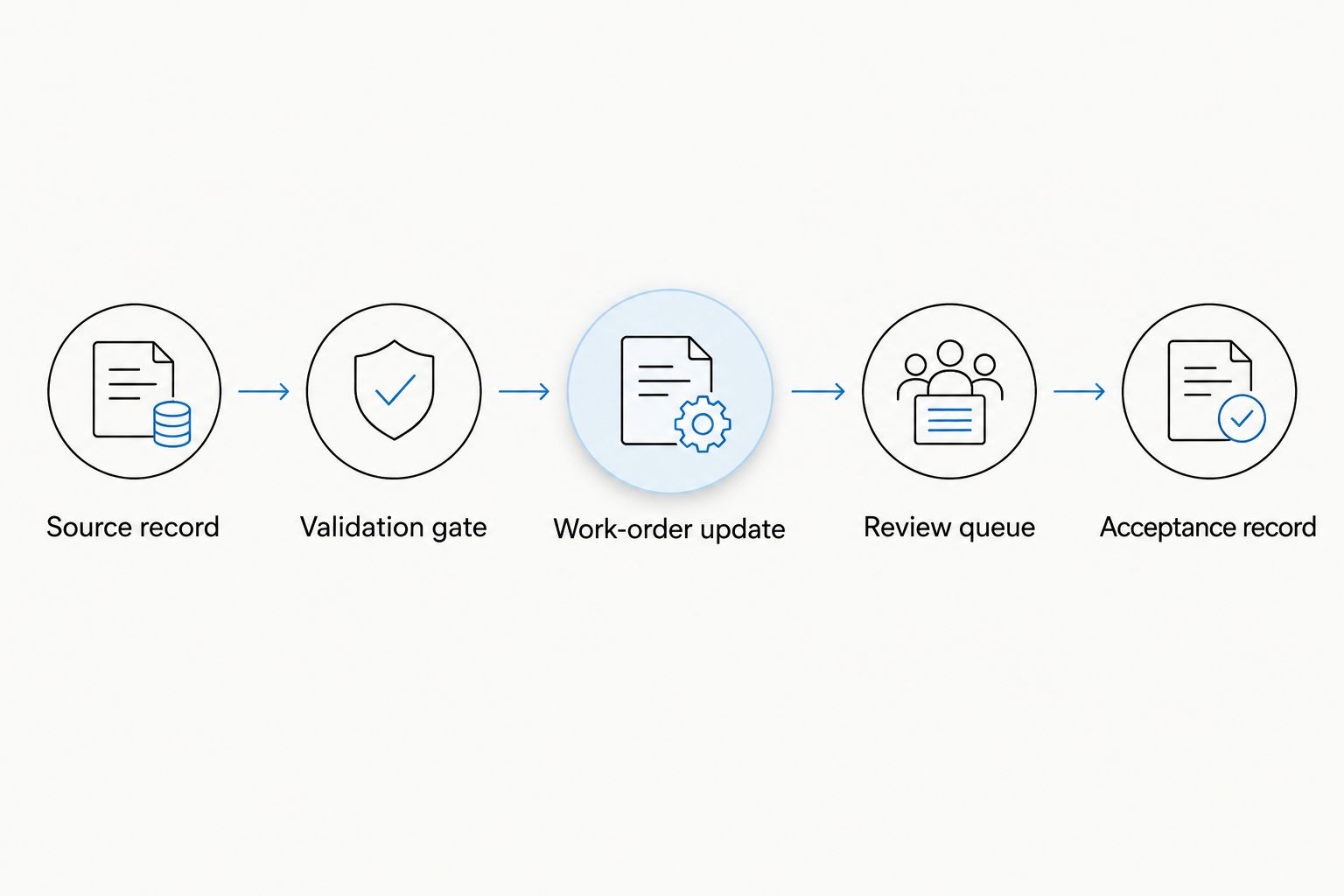
Record acceptance separately from the crew's original completion submission.
A pilot is ready for operational use only when the facility owner can trace a submitted checklist to the correct work-order history and explain every rejected test. Check the destination record itself; a successful connector message is not sufficient evidence.
Ownership and exception routing
Assign the operating handoff
- Name the transfer owner. Assign responsibility for monitoring failed deliveries and correcting mappings. Do not leave unresolved errors in an inbox that nobody owns.
- Name the service owner. Assign responsibility for missed tasks, access restrictions, and disputed completion. Technical delivery and cleaning acceptance require different decisions, even when one person holds both roles.
- Set the escalation path. Document how an unresolved exception reaches the facility manager and cleaning contact. Follow your agreed service process rather than inventing an automatic deadline in the connector.
- Record change ownership. Require review before changing matching rules, destination statuses, or closure permissions. Retest affected cases after an approved change.
Expected result: Every failure has an owner, and nobody mistakes a software delivery problem for a cleaning-service decision.
For a Hi Shine engagement, discuss how the dedicated team's completion records and HI-Q™ checklist discipline fit your facility's acceptance process. Agree on the handoff during scope planning. Do not assume checklist terminology already matches your CMMS fields.
Update the CMMS when a completion record changes
A submitted record sometimes needs correction: the wrong zone was selected, an attachment was omitted, or a supervisor rejected a reported result. Treat correction handling as an explicit workflow, not an overwrite of the original record.
Use the source record's stable identifier to find the earlier transfer. Compare its revision or modification information using the source system's documented behavior. Apply only the changed fields that your destination permits, and retain enough history to distinguish the original report from the correction.
Do not automatically close a reopened work order because an older completion event arrives again. Check the current work-order state and route conflicting updates for review.
This correction workflow preserves accountability, but it adds mapping and testing requirements. Confirm that your source exposes updates and that your destination supports the intended amendment behavior before including it in scope. If either condition is unmet, use a documented manual review process for corrections.
Troubleshooting
The integration updates the wrong recurring visit
The mapping uses a task template or location instead of the occurrence-specific identifier. Pass the actual work-order reference into the cleaning record before the visit, then validate it before writing. Review affected records before resuming delivery.
Completion notes appear repeatedly
The same submission has been processed again without a duplicate check. Store and compare the stable event identifier before appending notes. Do not deduplicate solely by timestamp: different legitimate events can share a recorded time.
The transfer succeeds, but the evidence is inaccessible
The destination contains an attachment reference that the reviewer cannot open. Check the source record's access rules using the intended reviewer's account. Use an approved evidence-sharing method, and exclude sensitive material that does not belong in the work order.
A completed checklist leaves unresolved work hidden
The status mapping treats checklist submission as acceptance. Change the mapping to preserve blocked and incomplete outcomes, then send them to review. Confirm that exception notes survive the transfer and remain visible in the destination record.
Updates fail after an access change
The integration account no longer has a required permission, or its credentials need renewal. Have the administrator restore only the approved access and replay identified failed events through the duplicate-control process. Do not grant broad administrative access as a shortcut.
Customize your workflow
Expand the workflow only after the basic completion handoff works. Add zone-level exceptions, supervisor review, or portfolio location mapping when those requirements belong to your documented scope. Each addition needs a clear owner and an acceptance test.
Keep your 2026 integration specification attached to the cleaning operating requirements. Hi Shine provides commercial-only cleaning across Greater Philadelphia; your facility should establish which completion evidence the service team supplies and which system actions remain with your own administrators.
Keep technical delivery and cleaning acceptance as separate sign-offs. That division makes responsibility visible when a record arrives correctly but the underlying work needs attention.
Define your facility's cleaning handoff
Discuss commercial cleaning scope and the completion evidence your facility needs.
FAQ
How do I set up cleaning CMMS work order integration?
Match each submitted cleaning record to a specific CMMS work order, validate its required fields, and apply only approved updates. Test duplicate events, exceptions, and corrections before enabling unattended delivery.
Should a completed cleaning checklist automatically close a work order?
Not unless your approved process explicitly allows it. Checklist submission records the crew's report; facility acceptance and work-order closure are separate decisions.
What information should a cleaning completion record contain?
Include the work-order reference, location reference, completion timestamp, task outcomes, and exception details. Add supporting evidence only through methods your facility permits.
Can I connect cleaning records without a software API?
Use another transfer method only if your systems document and support it. Confirm that the permitted import or connector can preserve identifiers, exceptions, and transfer outcomes before selecting it.
How do I stop duplicate cleaning updates in my CMMS?
Compare the stable completion-event identifier against previously applied events before writing. Retain that identifier in an approved destination field or integration log.
Does Hi Shine provide a specific CMMS connector?
This guide does not establish that Hi Shine provides a particular connector. Confirm the completion-record handoff during scope discussions and have your system administrator verify the supported connection method.
What happens when a cleaning crew cannot access a room?
Record the room as blocked and route the exception to the designated owner. Do not convert a submitted checklist into a clean completion when required work remains unresolved.
One last thing
Make an intentionally blocked room part of your 2026 acceptance test. A workflow that handles only successful cleaning submissions has not demonstrated exception handling. The useful proof is a visible unresolved condition, assigned to the right person, without an incorrect closure.